EcoGuide · Smart Thermostats · Updated 2026-10-02 · 1,300 words
Does the Amazon Smart Thermostat Need a C-Wire?
The Short Answer
Yes. Amazon’s setup guide lists the Smart Thermostat as needing a C wire or a C-wire adapter. It has no battery, so the C wire is its only source of constant power. Amazon’s adapter page puts it simply: if your system doesn’t have a power wire for the thermostat, a C-wire adapter provides one.
Before you buy, Amazon points to its compatibility checker at amazon.com/amazonsmartthermostat (in the Compatibility information box, select Check compatibility).
How to Check Whether You Have a C Wire
- Turn the power off. Amazon says to always switch off the heating and cooling system at the breaker box or the system’s main power switch before working on the thermostat, and to check it is off before removing the faceplate.
- Photograph the wiring. Take the old thermostat’s cover off and take a clear photo of the wires and terminal labels. It is your way back if anything goes wrong.
- Look for a wire in the C terminal. Go by the terminal label, not the colour of the wire. Google’s wiring guide gives the same warning: you shouldn’t rely on color alone.
- Check the other end. If your old thermostat ran on batteries, a wire in C at the wall may not be connected at the furnace. Amazon says to check at the control board that the same wire connects to the terminal labelled “24 V Common”.
- No wire in C? Look for an unused conductor tucked into the wall behind the thermostat. If there is one, it can become your C wire once it is connected at both ends.
What You See, and What It Means
| What you see at the old thermostat | What it means | Next step |
|---|---|---|
| A wire in the C terminal | You probably have a C wire | Confirm it reaches “24 V Common” at the control board |
| No C wire, but a spare conductor in the cable | A C wire is possible | Connect the spare to C at both ends, with the power off |
| No C wire and no spare | You need an adapter | Use a C-wire adapter, or choose a different thermostat |
| Only two wires | Heat-only or cool-only system | Run Amazon’s compatibility checker before buying |
No C Wire: How the Adapter Works
Amazon’s C-wire adapter instructions are worth reading before you decide, because the adapter goes in at the furnace or air handler, not behind the thermostat. In outline:
- At the control board, label and disconnect the thermostat’s G, W (or O/B on a heat pump), R and Y wires.
- Connect them to the “Thermostat” side of the adapter: W or O/B to W, G to C, R to R, and Y to K.
- Connect the wires on the “Equipment” side of the adapter to the matching terminals on the control board.
- At the thermostat, move the old G wire to the C terminal and the old Y wire to the K terminal.
When it is right, there are wires in C and K at the thermostat and none in Y or G. Turn the power back on; Amazon says that if the display shows SEt or the temperature, it is connected. If opening the furnace cabinet is not something you want to do, this is a short job for an HVAC technician.
Signs the C Wire Is the Problem
- The display is blank. Amazon’s blank-display steps include checking the C-wire connection. See Amazon Smart Thermostat blank screen.
- It blew a fuse during installation. Amazon says the breaker or fuse can blow if power wasn’t turned off first, or if wire tips touched.
- It drops offline or restarts when heating or cooling starts. The setup guide gives 18–30 VAC as the acceptable supply range; a thermostat outside it is short of power. See Amazon thermostat not connecting to Wi-Fi.
A flashing yellow light is something else: compressor protection, which Amazon’s guide says can take 5 to 7 minutes. See Delayed Start.
If the New Thermostat Will Not Power Up
Amazon’s installation troubleshooting goes in this order:
- Check the power to the system is on at the breaker or system switch, and that no breaker or fuse blew during installation.
- Take the faceplate off and compare the wiring with the Alexa app’s instructions and with your photo of the old thermostat.
- Check each wire is firmly connected; remove and reconnect it to be sure.
- Check the R jumper switch: one R wire goes in R with the switch up; two (R and Rc) go in their own terminals with the switch down.
- Check the C wire at the control board, as above.
If your photo shows the old thermostat wired the same way and it ran the system, the equipment is fine and the problem is in the new wiring or its power.
When to Stop and Call a Technician
- A fuse or breaker blows more than once.
- You cannot identify the terminals on the control board.
- You have a heat pump with auxiliary heat and are unsure about the O/B or auxiliary wires.
- The thermostat still loses power after the C wire or adapter is in place.
Thermostats and a Meter for This Job
The Amazon thermostat is the cheapest route if you have a C wire. If you do not, the other two are made for that.
We may earn a commission if you buy through these links, at no extra cost to you. Products are chosen on published specifications; we do not test them in-house (how we choose).
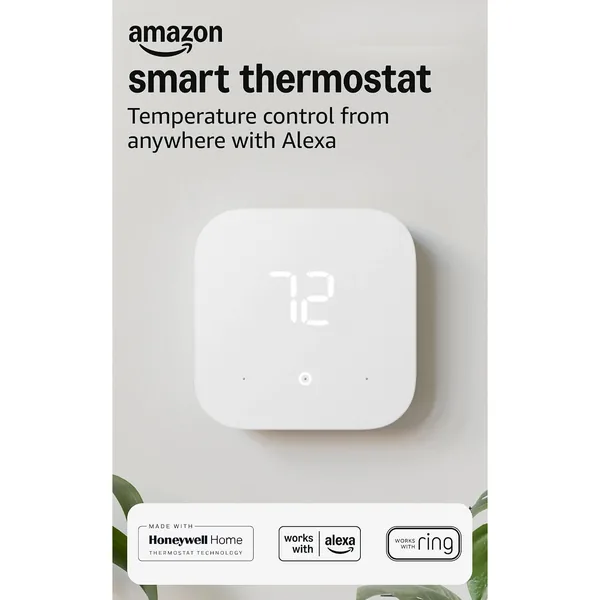
Amazon Smart Thermostat (2-Pack)
Alexa-controlled thermostat; this listing is a 2-pack. Needs a C wire or a C-wire adapter.
View on Amazon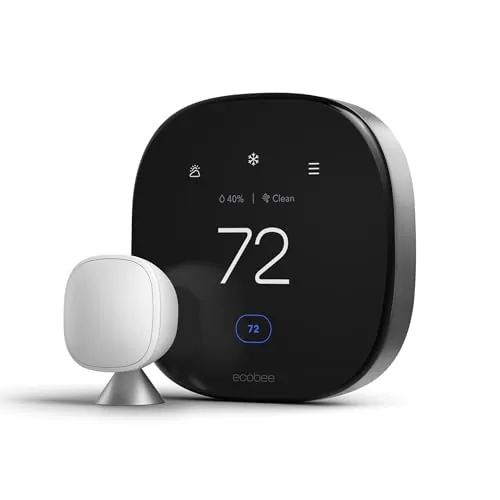
ecobee Smart Thermostat Premium
Includes a Power Extender Kit for homes without a C wire; Alexa built in.
View on AmazonSensi Lite Smart Thermostat (ST25)
Sensi says it works without a C wire on most systems (not heat pumps, heat-only or cool-only).
View on AmazonKlein Tools 69149P Test Kit (multimeter + voltage tester)
For checking the voltage between R and C against Amazon’s 18–30 VAC range.
View on AmazonFree: Home Energy Audit Checklist (PDF)
A two-page, room-by-room checklist for finding air leaks, standby power and heating and cooling waste yourself, in the order that pays back fastest. Get it now, plus new fix guides by email. Unsubscribe any time.
By signing up you agree to receive emails from EcoHome Intelligence. See our Privacy Policy.
Frequently Asked Questions
Does the Amazon Smart Thermostat need a C-wire?
Yes. Amazon lists it as needing a C wire or a C-wire adapter. It has no battery, so the C wire is its only constant power source.
Can I install an Amazon Smart Thermostat without a C-wire?
Only with a C-wire adapter, which is installed at the furnace or air-handler control board. At the thermostat, the old G wire moves to C and the old Y wire moves to K.
How do I know if I have a C-wire?
With the power off, look for a wire in the terminal labelled C on your old thermostat, then confirm the same wire is on the 24 V Common terminal at the furnace control board. Do not go by wire colour.
Where does the Amazon C-wire adapter go?
At the HVAC control board, not behind the thermostat. Amazon says to place it near the control board and close the cover.
What happens if the Amazon Smart Thermostat has no C-wire?
It has no power, so the display stays blank. A weak or badly connected C wire can also make it drop offline or restart.
Related Guides
- Amazon Smart Thermostat blank screen — Amazon’s five checks
- Smart thermostats without a C wire — models made for homes without one
- How to reset an Amazon Smart Thermostat — partial and full reset
- Smart thermostat troubleshooting — every fix guide by symptom
