EcoGuide · Smart Thermostats · Updated 2026-10-02 · 1,600 words
Smart Thermostat Black or Blank Screen? Check These Five Things First
Start Here: Is It the Thermostat or the Power to It?
A blank smart thermostat is rarely a broken thermostat. It is powered by your heating and cooling system: Lennox explains that a transformer in the system steps the house voltage down for the thermostat, and that a dark display signals that power to the thermostat has been cut off. ecobee says the same of its own models: the thermostat has no internal power source and is powered by the HVAC equipment at 24 VAC.
So the job is to find where the power stopped. Three quick checks first, because they depend on the brand:
- Amazon Smart Thermostat: touch it. Amazon says the display might dim when inactive. See Amazon thermostat blank screen.
- Nest: if there is no light at all, Google says the battery has drained. Pull off the display and charge it from the USB port on the back with a wall charger, not a computer port. See Nest low battery.
- Honeywell with batteries: Honeywell’s first step is to check or replace the batteries. See Honeywell low battery.
Before you touch any wiring: switch the system off at the breaker and at the furnace switch. Some manufacturers go further and tell homeowners not to open equipment panels at all. If you are not comfortable inside the cabinet, do steps 1 to 3 and then call a technician.
The Checklist, in Order
Work down the list. The first three need no tools.
- The furnace door. Honeywell’s blank-display steps include the furnace door kill switch, and Google notes that a system may have a safety latch that keeps it from turning on if the cover is not fully closed. If anyone has been near the unit, for a filter change say, push the door until it seats.
- The breaker and the furnace switch. Check the breaker for the heating and cooling system and the power switch at the furnace, which often looks like a light switch. Google suggests turning the breaker off and back on, pushed all the way to the On position. If it has tripped, reset it once only: Bryant says that if it trips again after being reset, leave it off and call a professional.
- The condensate float switch and the filter. Lennox lists both as causes of a thermostat losing power: standing water in the drain line triggers a float switch that cuts system power. ecobee adds that a clogged filter can make a furnace overheat and trip its high-limit switch, with the same result. Water in the drain pan, or a filter you cannot see through, points here.
- The fuse on the control board. Google says a blown fuse on your system’s control board can stop power reaching the thermostat. Amazon tells owners to check for a blown fuse (3 and 5 amp) on the furnace board. See the next section before you replace one.
- The thermostat wiring. If everything above is fine, the break is between the board and the wall. See the C-wire section below.
If the screen comes back at any step, stop. You have found it.
If the Fuse Is Blown: Replace It Once, Not Twice
A fuse blows for a reason. Amazon’s install guide says it can blow if power wasn’t turned off first, or if wire tips touched during installation. If that is what happened, a new fuse of the rating printed on the old one may be all it needs.
If it blows again, stop. Lennox says that if it keeps blowing, a professional needs to take a closer look, and Google’s advice for a blown control-board fuse is to contact a professional in the first place.
The Smart-Thermostat-Specific Cause: No Common Wire
Smart thermostats run a screen and Wi-Fi all the time, and most get that power through the C (common) wire. Google describes the C wire as one that only provides constant power to your thermostat, and lists a display that will not turn on among the symptoms of not having enough.
- It went blank soon after installation. The C wire may be connected at the thermostat but not at the furnace. Amazon says to check that it lands on the control-board terminal labelled “24 V Common”. Do not go by colour: Google says you shouldn’t rely on color alone to tell what a wire does.
- It goes black or restarts when heating or cooling starts. ecobee says interruptions to the 24 VAC supply can make the thermostat go black or reboot during heating or cooling calls.
- You have a meter. ecobee gives the number to look for: the voltage between R (or Rc) and C should read between 24 and 29 VAC.
If there is no C wire, the options are a spare conductor in the cable, the maker’s own adapter (Nest Power Connector, ecobee Power Extender Kit, Amazon C-wire adapter), or a thermostat built to run without one: see smart thermostats without a C wire.
What the Symptom Pattern Tells You
| What you see | Most likely | Check first |
|---|---|---|
| Blank right after someone touched the furnace | Door switch | Reseat the door |
| Blank in summer, water near the air handler | Condensate float switch | The drain pan and drain line |
| Blank, and the system does nothing at all | Breaker, furnace switch or fuse | Breaker, then the switch |
| Went blank soon after a new thermostat went in | C wire not connected at both ends, or a blown fuse | The control-board end of the C wire |
| Goes black or restarts when heating or cooling starts | Power dipping under load | C wire, or the maker’s power adapter |
| New fuse blows again | A short in the low-voltage wiring | Stop and call a technician |
When to Stop and Call Someone
- A breaker that will not stay reset, or a fuse that blows a second time.
- Water that keeps coming back in the drain pan.
- Damaged or suspect wiring.
- You would have to open the furnace or air handler and are not comfortable doing it.
- The thermostat is old and has given repeated trouble. Lennox suggests replacement becomes worth considering past about ten years.
Parts and Tools for This Fix
Most blank screens cost nothing to fix. These are the few things worth having if the checklist points to a fuse or a missing C wire.
We may earn a commission if you buy through these links, at no extra cost to you. Products are chosen on published specifications; we do not test them in-house (how we choose).
Bussmann 3A Blade Fuse (5-pack)
Replacement blade fuse for furnace and air-handler control boards. Match the rating printed on your old fuse first.
View on AmazonKlein Tools 69149P Test Kit (multimeter + voltage tester)
For reading the voltage between R and C at the thermostat.
View on AmazonVenstar ACC0410 Add-A-Wire Kit
Adds a C wire over an existing 4-wire run, for thermostats that lose power without one.
View on Amazon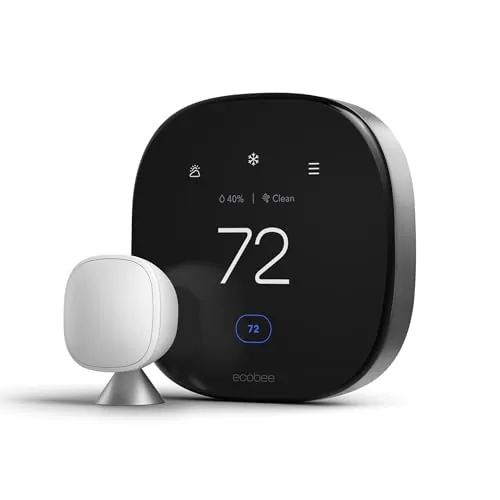
ecobee Smart Thermostat Premium
If the thermostat really has failed: includes a Power Extender Kit for homes without a C wire.
View on AmazonFree: Home Energy Audit Checklist (PDF)
A two-page, room-by-room checklist for finding air leaks, standby power and heating and cooling waste yourself, in the order that pays back fastest. Get it now, plus new fix guides by email. Unsubscribe any time.
By signing up you agree to receive emails from EcoHome Intelligence. See our Privacy Policy.
Frequently Asked Questions
Why is my smart thermostat screen black?
Usually because it has lost power, not because it has failed. Smart thermostats are powered by the heating and cooling system, so a door switch, breaker, float switch, blown fuse or wiring fault leaves the screen dark.
How do I fix a thermostat with a blank screen?
Check, in order: the furnace door is closed, the breaker and furnace switch are on, the drain pan is not full, the fuse on the control board is intact, and the C wire is connected at both ends. On battery models, replace or recharge the battery first.
Can a clogged drain line make a thermostat go blank?
Yes. Lennox and ecobee both list a float switch tripped by a backed-up condensate drain as a cause of the thermostat losing power.
Should I replace a blown furnace fuse myself?
Only once, with the same rating, and only if you are comfortable inside the cabinet with the power off. If it blows again, there is a fault that needs a technician. Google advises contacting a professional for a blown control-board fuse.
What voltage should a thermostat get?
ecobee says the reading between R (or Rc) and C should be between 24 and 29 VAC.
Related Guides
- Thermostat clicks but nothing happens — when the screen works but nothing runs
- ecobee screen black or blank — ecobee’s own steps
- Amazon Smart Thermostat blank screen — Amazon’s own steps
- Nest “No power to Rh wire” — the Nest power error codes
- Smart thermostat troubleshooting — every fix guide by symptom
Sources
- Lennox: No power to thermostat
- Honeywell Home support: blank display on an RTH6360
- Google Nest Help: thermostat won’t turn on
- Google Nest Help: the common or C wire
- Google Nest Help: identify a thermostat wire
- Google Nest Help: Nest Power Connector
- ecobee support: Why is my ecobee thermostat rebooting?
- ecobee support: troubleshoot thermostat power issues
- Amazon: The Amazon Smart Thermostat display is blank
- Amazon: Smart Thermostat installation isn’t working
- Bryant: AC not turning on
